 resumark
Home / Templates
ATS-friendly resume templates
Every Resumark template is single-column, uses real selectable text and standard section headings, and keeps contact details out of headers and footers, so applicant tracking systems read every line. Pick one, change the accent colour, and switch any time without retyping.
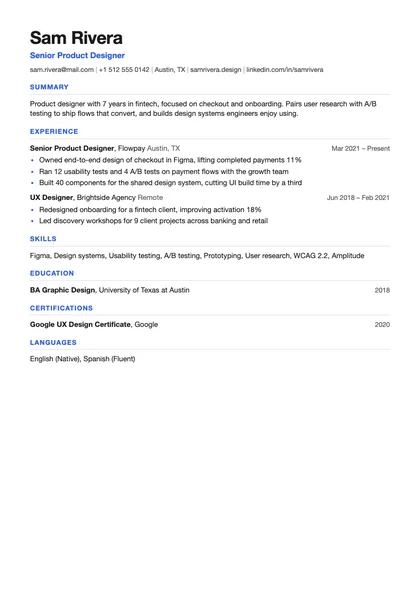
Crisp sans-serif with accent headings. Works for almost any role, from software to sales.
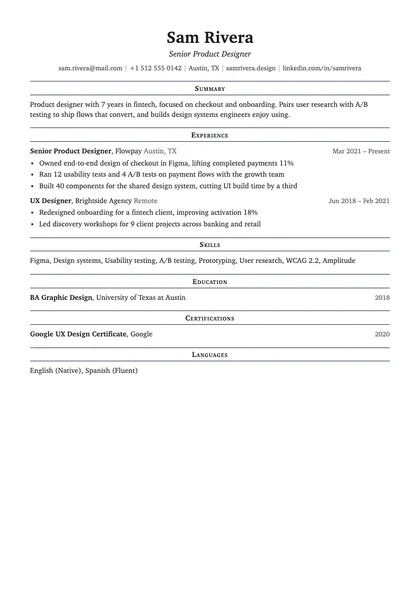
Serif type, centred name and ruled headings. A traditional look for law, finance and academia.
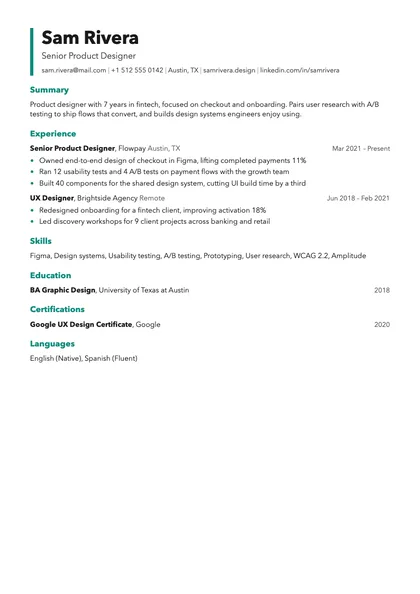
An accent rail beside your name and roomy headings. Good for design, marketing and product roles.
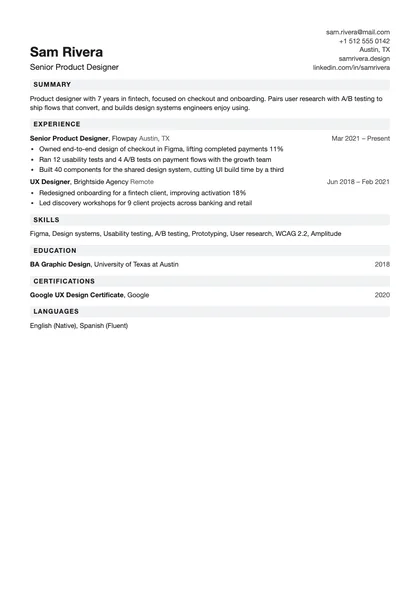
Tighter spacing and contact details on the right. Fits a long career on fewer pages.
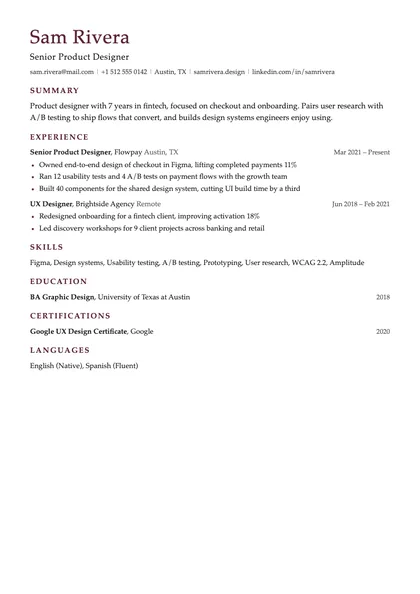
Book serif, generous spacing and a quiet colour. For senior and leadership roles.
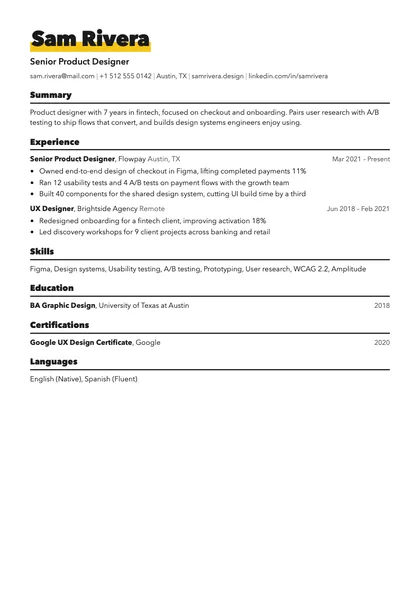
A big name with a highlighter stroke. For creative roles where some personality helps.
What makes these templates ATS-friendly?
- One column. Parsers read top to bottom; multi-column layouts can scramble the order of your experience.
- Real text, no images or icons for content. A skill inside an image is invisible to an ATS.
- Standard headings: Summary, Experience, Skills, Education. ATS map these to fields.
- Dates on the same line as each role, in a consistent format such as "Mar 2021 – Present".
- Contact details in the body, not in a page header, which some parsers skip.
Can I use a two-column or graphic resume?
You can, but you take a risk with the software that screens it. If you apply through an online portal (Workday, Greenhouse, Lever, Taleo, iCIMS), a single column is the safe choice. Save the designed version for when you email a person directly.
Try them with your own resume. Import your current CV and flip between all six templates in the live preview.
Open the web app Get the iPhone app